The reminder ladder is your chasing routine, written down once. Every morning the plugin works out which step each unpaid invoice or order has reached and sends that step’s email. In this tutorial we’ll set it up and test it properly before a customer sees anything.
Steps in short
- Five steps, from a heads-up to a final notice.
- Each step once, never once paid, and no bursts.
- Edit the ladder and templates on the Reminders tab.
- Preview, dry run, test mode — then live.
- Press Send reminder on an account.
1. The ladder you start with
| Step | When | |
|---|---|---|
| 1 | 3 days before the due date | A friendly heads-up |
| 2 | On the due date | “Due today” |
| 3 | 7 days overdue | A polite reminder |
| 4 | 14 days overdue | A firmer reminder, with the account’s total overdue |
| 5 | 30 days overdue | A final notice — and “call them” on your follow-up list |
It runs at 9am on your store’s clock, which you can change.
2. The rules that keep it polite
- Each step is sent once for each invoice or order, however often the plugin runs.
- It stops the moment they pay. Just before each email it checks with Orbit — if it’s been paid, nothing goes.
- No bursts. Something already 20 days late gets the 14-day reminder only.
- Old debt is left to you. A step more than 14 days past its day isn’t emailed.
- Weekends wait until Monday, and paused accounts and promises to pay wait too.
3. Change the steps and emails
On the Reminders tab, change a step’s day and email, add steps (up to 8) or remove them, and press Save ladder. Edit each email’s subject and message using merge fields such as {{contact_name}}, {{document_title}}, {{amount_due}}, {{due_date}} and {{days_overdue}}. Type one that doesn’t exist and it won’t save — so no customer ever gets {{typo}}.
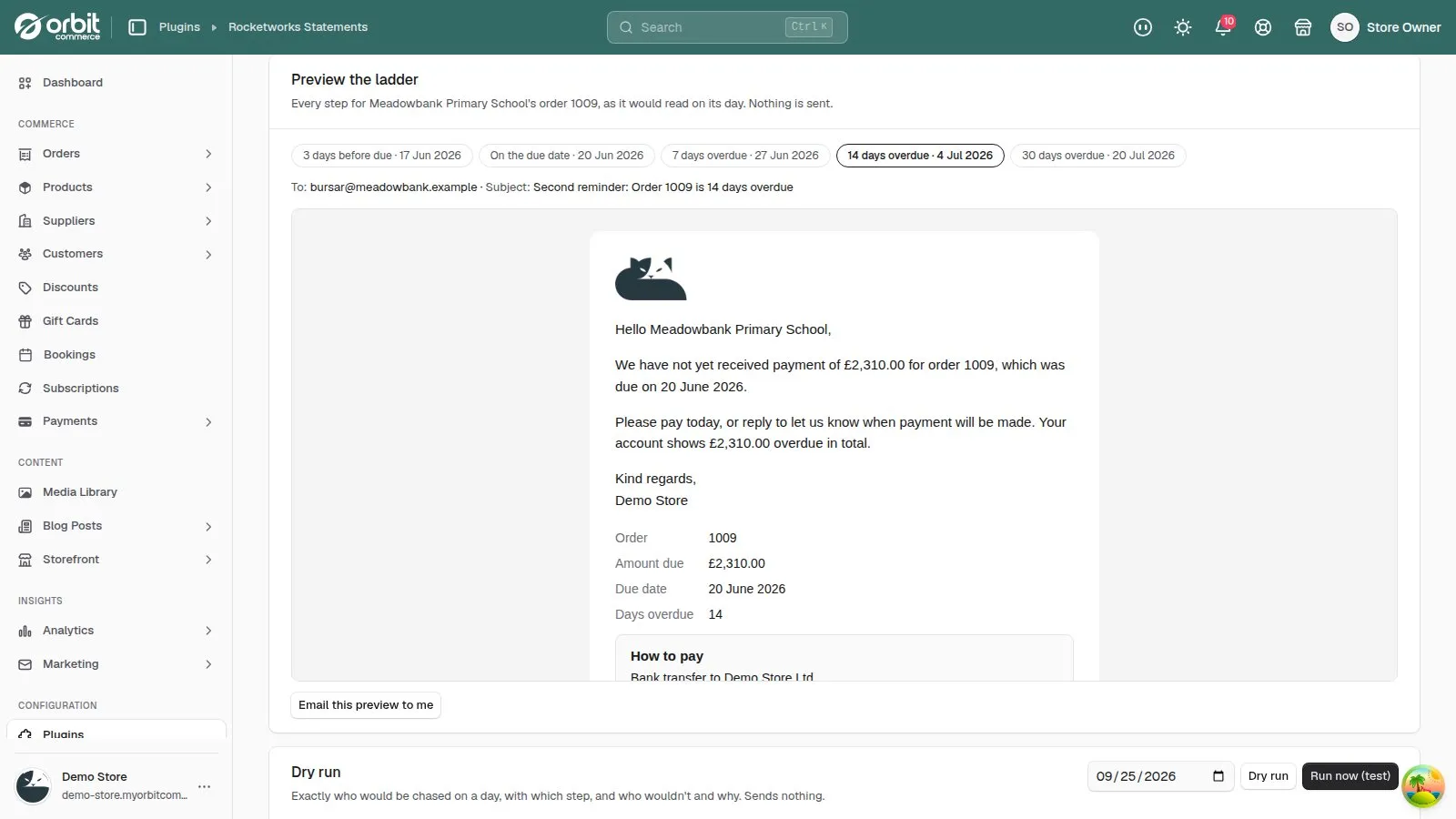
4. Test it before it goes live
- Preview every step for a real invoice, and press Email this preview to me.
- Dry run a day to see who would be chased, with which email — and who wouldn’t, and why. Nothing is sent.
- Test mode sends every reminder to your own test address, with a TEST banner saying who it would have gone to.
- Set Reminder mode to Live when you’re happy.
5. Send one by hand
On an account, or the customer’s page in Orbit, press Send reminder. It sends a reminder for their most overdue invoice or order, after checking it’s still unpaid.
Good to know
- Reminders not going out? Check Reminder mode is Live, then run a dry run for today — it says why anyone isn’t being chased.
Statements & Credit Control£29.99 a month · 14-day free trial · billed through Orbit