Delivery & Installation Manager for Orbit Commerce — Rocketworks
Delivery & Installation
No more phone tag over delivery dates.
Sell assembly, installation, removals and WEEE take-back on the product page, then email customers a link to book their own delivery date and slot. Plan crews by UK postcode region, print run sheets and capture proof of delivery.
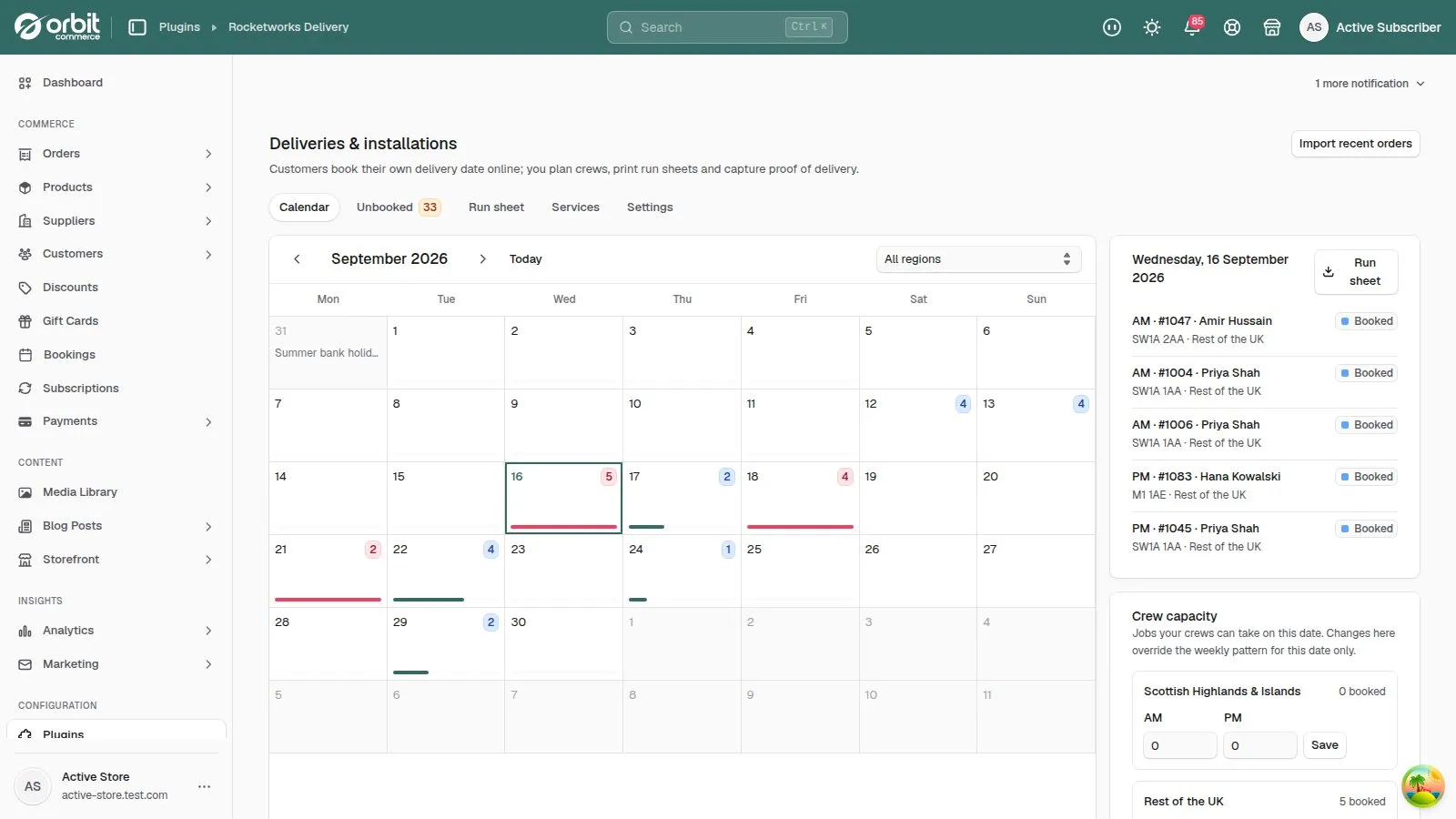
No more phone tag over delivery dates.
Priced services
Assembly, installation, room-of-choice delivery, removals and WEEE take-back, priced per item, as a percentage or as a flat fee.
Self-serve booking
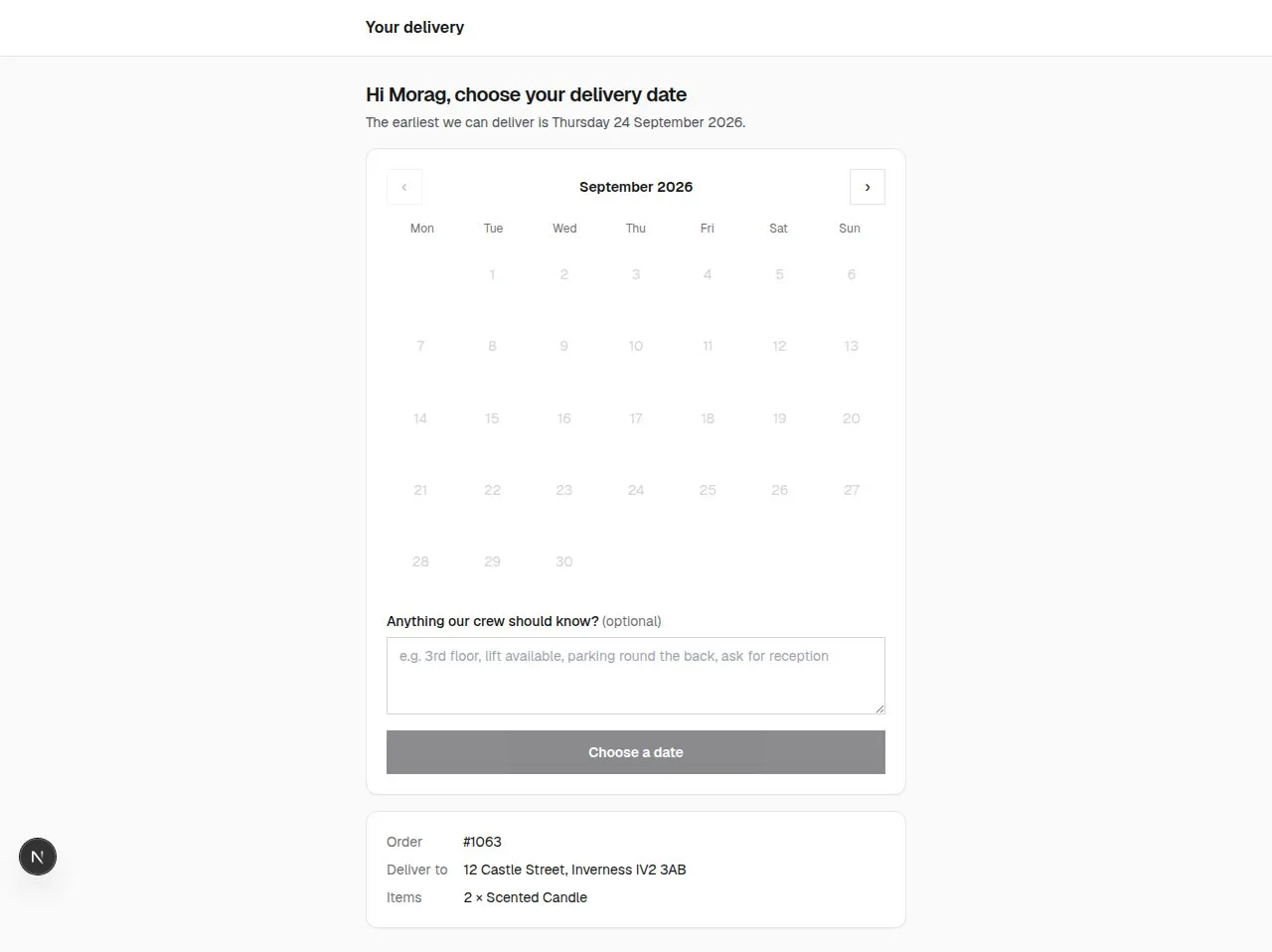
Customers pick a date and a morning or afternoon slot from your real crew capacity, and can move it up to your cut-off.
UK postcode regions
Capacity and extra lead time per region, from the Highlands to Northern Ireland, with bank holidays skipped.
Run sheets
Each day’s jobs as a PDF, grouped by region and sorted by postcode, with a QR code for every job.
Proof of delivery
Crews record who took it, a signature, photos and notes on their phone.
Booked date on the order
The booking is written onto the Orbit order, so your whole team can see it.
Set up once, then it just runs.
Set your regions
Group postcodes and set how many jobs your crews can do each day.
Add your services
Assembly, installation and removals, shown on the right product pages.
Customers book
They get a link after ordering and pick a date that suits them.
Run the day
Print the run sheet, and crews capture proof of delivery.
The real screens.
Click any screenshot to see it full size.
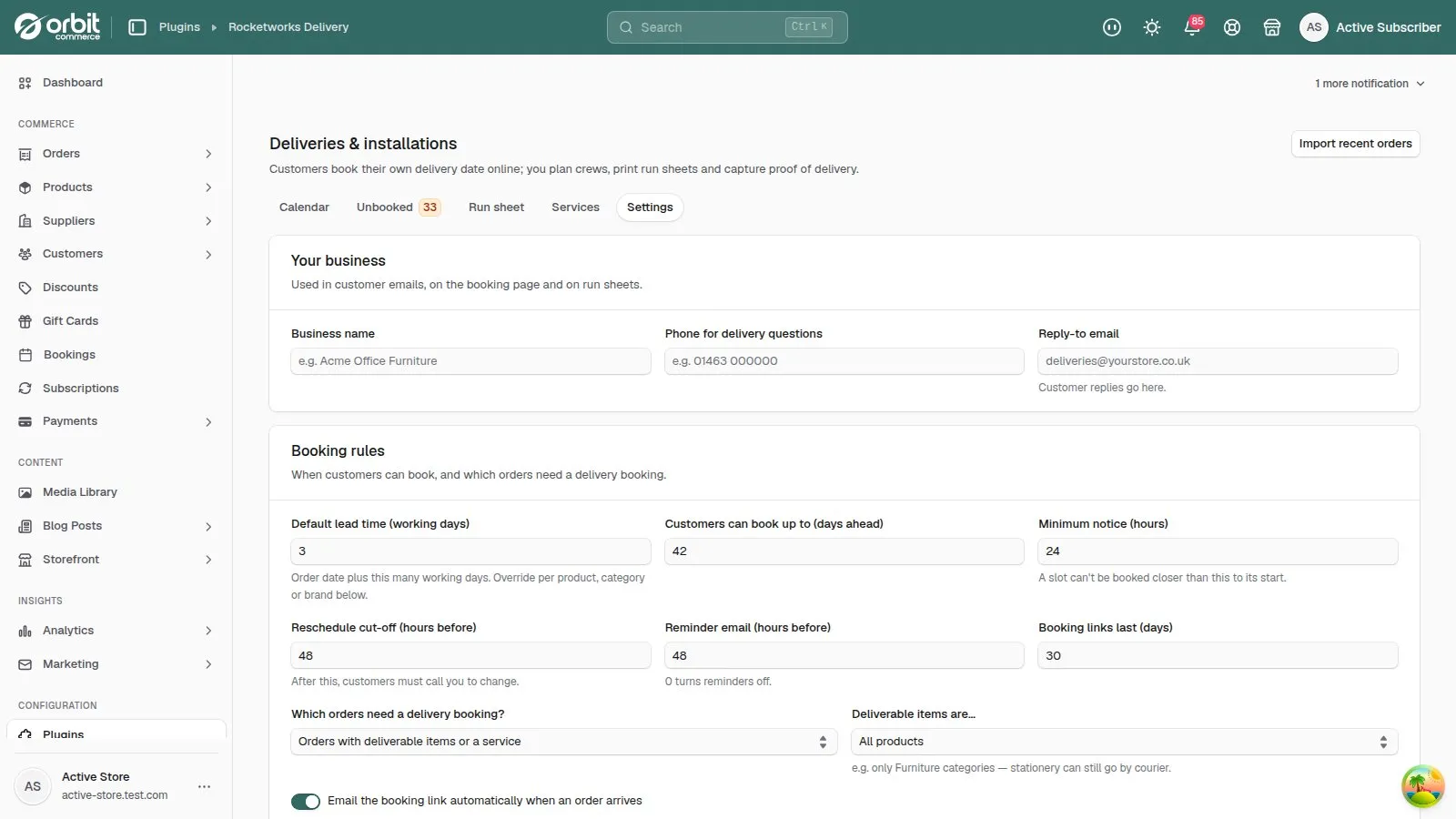
Learn Delivery & Installation step by step.
7 tutorials with screenshots, from setting up to the everyday jobs.
All Delivery & Installation tutorialsDelivery & Installation questions, answered.
What do customers see?
An email after they order with a “Choose a delivery date” button, then a simple page showing only the dates you can do.
Does it know about Scottish and Northern Irish bank holidays?
Yes. The calendar it uses depends on the delivery postcode.
What if a customer phones instead?
Use Book for customer on the Unbooked tab to book the date for them.
Can I block out dates?
Yes. Block a single day from the calendar, or a range of dates under Blackout dates.
Try Delivery & Installation free for 14 days.
£39.99 a month after your trial, billed by Orbit. Cancel whenever you like.