Nothing reaches the basket until every line has been checked, so problems are fixed in one place instead of one failed item at a time. This tutorial lists every check, what your buyer sees and how they fix it.
In short
- Problem lines are marked in red, with a one-click fix where there is one.
- The same code twice becomes one line.
- Add all to basket adds every line, with a progress bar.
- The pad shows public prices; account prices apply in the basket.
1. Every line is checked
| What the buyer sees | What it means | How they fix it |
|---|---|---|
| We don’t recognise this code | No product has that code | Click a Did you mean suggestion, correct the code, or remove the line |
| This product is no longer available | The product is archived | Remove the line |
| Out of stock | No stock, and the product doesn’t allow backorders | Remove the line |
| Only 7 in stock | They asked for more than you have (only shown if you display stock levels) | Click Change to 7 |
| Minimum order is 5 / Maximum order is 40 | One of your quantity rules | Click Change to … |
| Sold in packs of 12 | One of your pack-size rules | Click Change to … (rounds up to the next full pack) |
| Enter a whole number of 1 or more | The quantity isn’t a whole number | Type a new quantity |
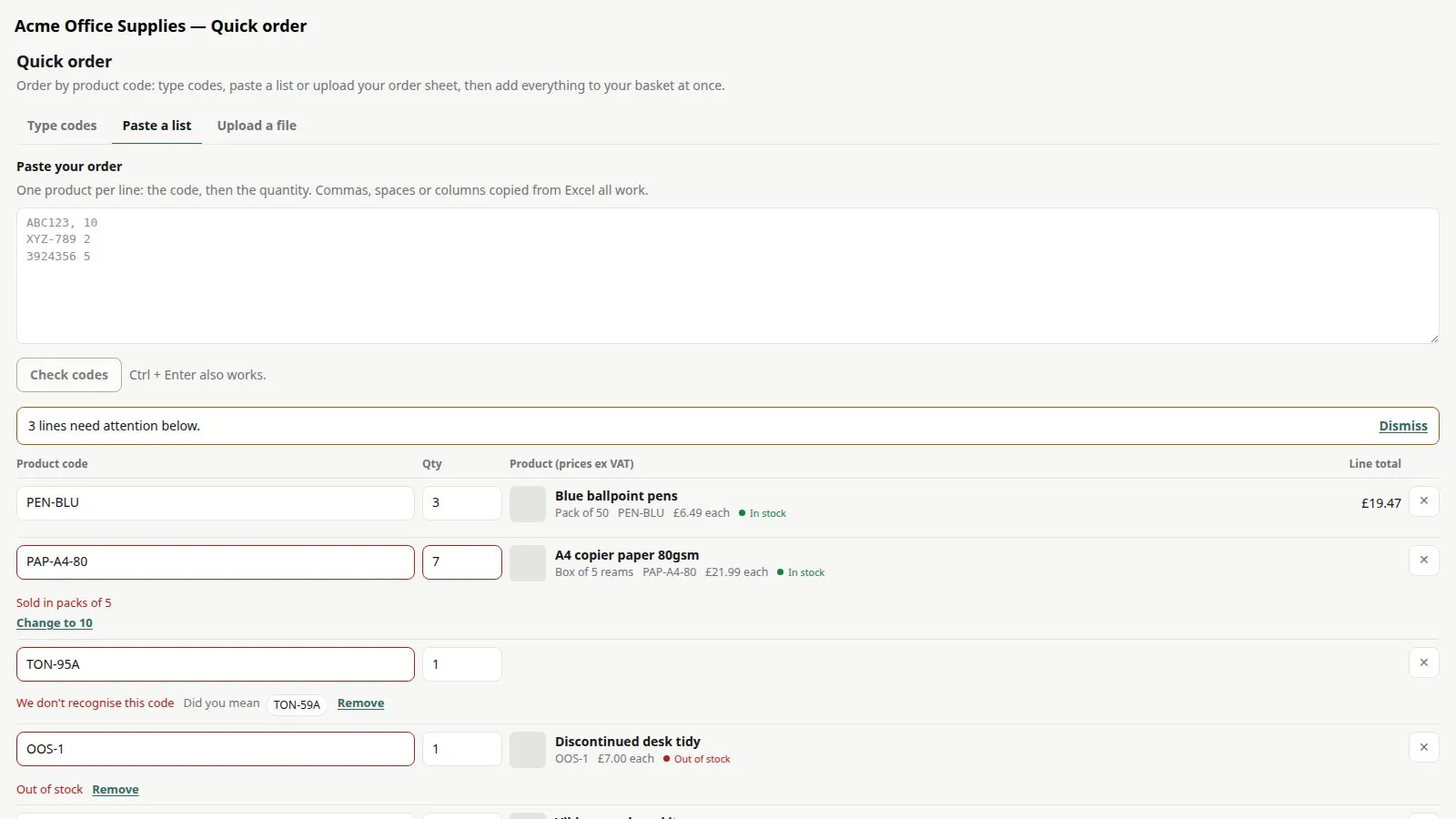
2. Duplicates are combined
If the same code appears twice, the lines are combined into one with the total quantity, and the buyer is told — so nothing is ordered twice by accident.
3. Everything goes in at once
When every line is fixed, the buyer clicks Add all to basket. Items are added one line at a time with a progress bar (“Adding 23 of 60…”). At the end they see how many lines were added; any line the basket refused is listed with the reason, and a Retry button tries those lines again.
4. Prices and account pricing
Prices in the pad are your public prices, labelled ex or inc VAT to match your store. The pad tells buyers “Your account price is applied in the basket”, so trade customers still get their own prices at checkout.
Good to know
- Out-of-stock lines are always blocked unless the product allows backorders.
- Want buyers to see only “In stock” and “Out of stock” rather than exact numbers? Change Stock in Settings.
Quick Order Pad£19.99 a month · 14-day free trial · billed through Orbit