A recommendations widget shows nothing when it has nothing worth recommending — it never shows an error to shoppers. This tutorial explains the model status badges, what Rebuild model does and how to work out why a widget is empty.
Steps in short
- Check the Model status badge on the Overview tab.
- Rebuild model re-syncs your catalogue, then rebuilds.
- Go through the common reasons a widget is empty.
- Set the widget’s Min Height to 100 px.
1. Read the model status badge
| Badge | What it means |
|---|---|
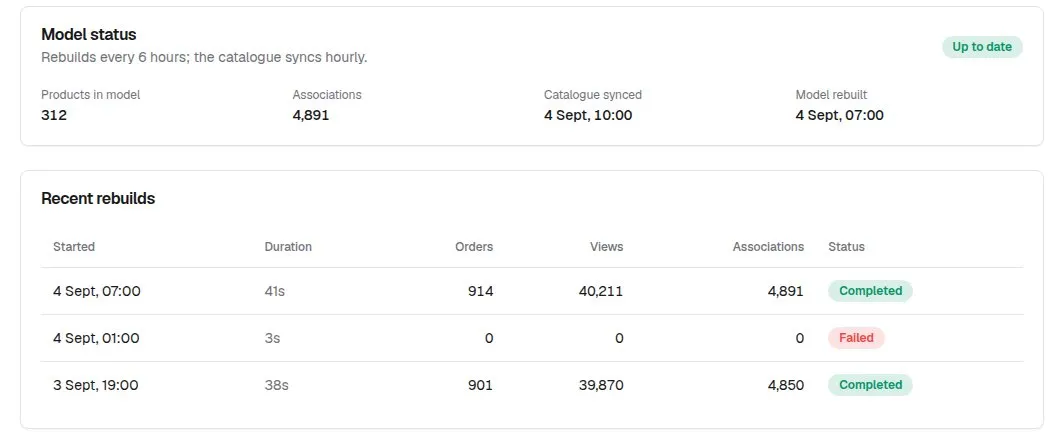
| Up to date | The last rebuild finished. Check Model rebuilt for when. |
| Rebuilding… | A rebuild is running. The page doesn’t refresh itself, so reopen it in a minute. |
| Last rebuild failed | A red alert shows the error. Press Rebuild model to try again. |
| Waiting for first rebuild | Connected, but no model yet. Press Rebuild model. |
| Not connected yet | The store isn’t connected. Refresh the page — opening it connects the store. |
2. Know what Rebuild model does
Rebuild model syncs your catalogue and then rebuilds the model in the background. It runs automatically every six hours, and the catalogue syncs every hour. Press it after adding products or big catalogue changes — new products can only be recommended after a rebuild. If one is already running you’ll see “A rebuild is already running”.
3. Work through the checklist
- Is the placement switched on in Settings?
- Has the AI Recommendations page been opened since installing? That connects your store.
- Has the first model been built? Press Rebuild model.
- On a new store, trending and cart widgets stay empty until shoppers have viewed or bought something.
- Does the product share tags or categories with others? With none — and no views or orders yet — there’s nothing to link it to.
- Is everything it links to out of stock while Hide out-of-stock products is on?
- On the product template, is the Product Review element’s Plugin set to AI Product Recommendations?
- Changed a setting just now? Open the AI Recommendations page to apply it, or wait up to an hour.
4. Tidy up empty space
If there’s a blank gap where the widget would be, that’s the page-builder element’s Min Height, not an error. Set it to about 100 px under Advance → Container.
Good to know
- On a store with its own domain, the widget only loads once that domain is connected to your Orbit store.
- Still stuck? Email support@rocketworks.dev with your store URL and a screenshot of the Overview tab.
AI Product Recommendations£39.99 a month · 7-day free trial · billed through Orbit