A range is a set of pieces that build together on one grid — a sofa system, a desking family, a storage wall. In this tutorial we’ll create a range, add its pieces and put it live.
Steps in short
- Open Ranges & pieces and press New range.
- Pick a grid that divides your pieces evenly.
- Optionally give a room width and depth.
- Add each piece with its size, model, connectors and product.
- Switch Live on the store on.
1. Create the range
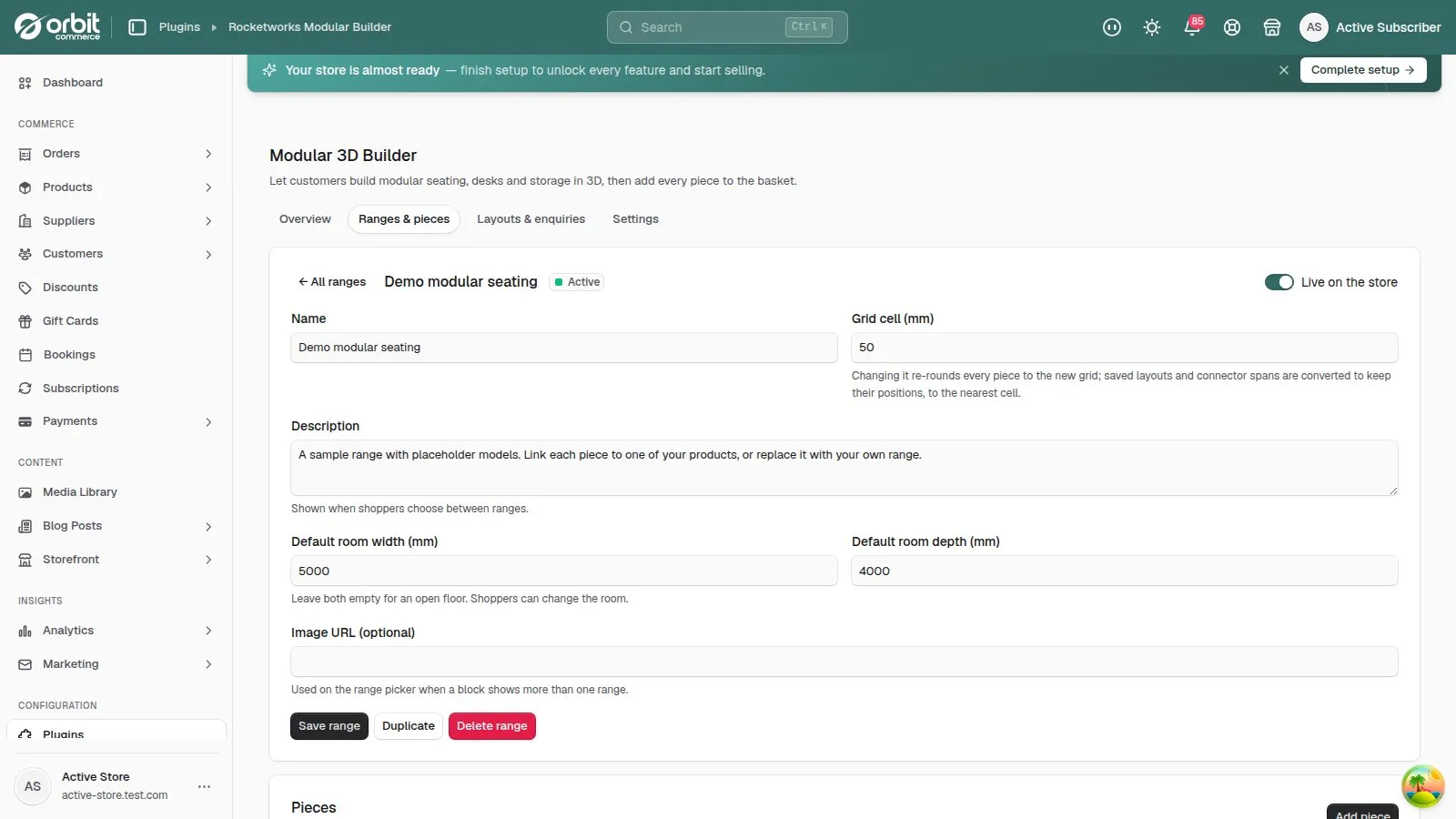
In 3D Builder, open Ranges & pieces and press New range. Give it a name customers will recognise.
2. Choose the grid cell
Every piece is rounded to whole grid cells. Pick a size that divides your pieces evenly: 50 mm for seating in 700 and 850 mm modules, 100 mm or 200 mm for desking in 800, 1200 and 1600 mm modules. A finer grid snaps more precisely and asks a little more of the browser; 50–100 mm suits most ranges.
You can change it later — pieces, saved layouts and connector spans are all converted to the new grid, to the nearest cell.
3. Set a default room
Default room is optional. With a width and depth, the builder opens with that room drawn and pieces can’t be placed outside it. Customers can change it.
4. Add the pieces
For each piece, fill in:
| Field | What to enter |
|---|---|
| Name and group | What customers see. Groups become headings in the piece list — Seats, Corners, Tables. |
| Width, depth, height (mm) | The real size. Width is left to right, depth is back to front. |
| 3D model | A GLB file, or a placeholder shape in the piece’s size until you have one. |
| Connectors | Which sides join other pieces. |
| Product | The product, and variant, the piece sells. |
| Shoppers can rotate | Turn off for pieces that only make sense one way round. |
| Max per layout | An optional cap — one reception desk per layout, say. |
5. Put it live
When the range has its pieces, switch Live on the store on. Only live ranges appear in the builder and in the page builder’s range picker. Duplicate a range to make a variation — another fabric family, say — without starting again.
Good to know
- Delete the last piece of a live range and it goes back to draft, so shoppers never meet an empty builder.
- Connectors and models each have their own tutorial: connectors and 3D models.
Modular 3D Builder£49.99 a month · 14-day free trial · billed through Orbit